


Companies of all types and sizes often have to make organizational changes quickly to react to ever-shifting business needs. But today, those business needs are shifting more quickly than ever before. Our team at ChartHop is working to optimize and build functionality to help support you through these times.
Below are some of the ways you can use the ChartHop platform to support your employees and your business.
1. Provide context to every employee using the Org Chart
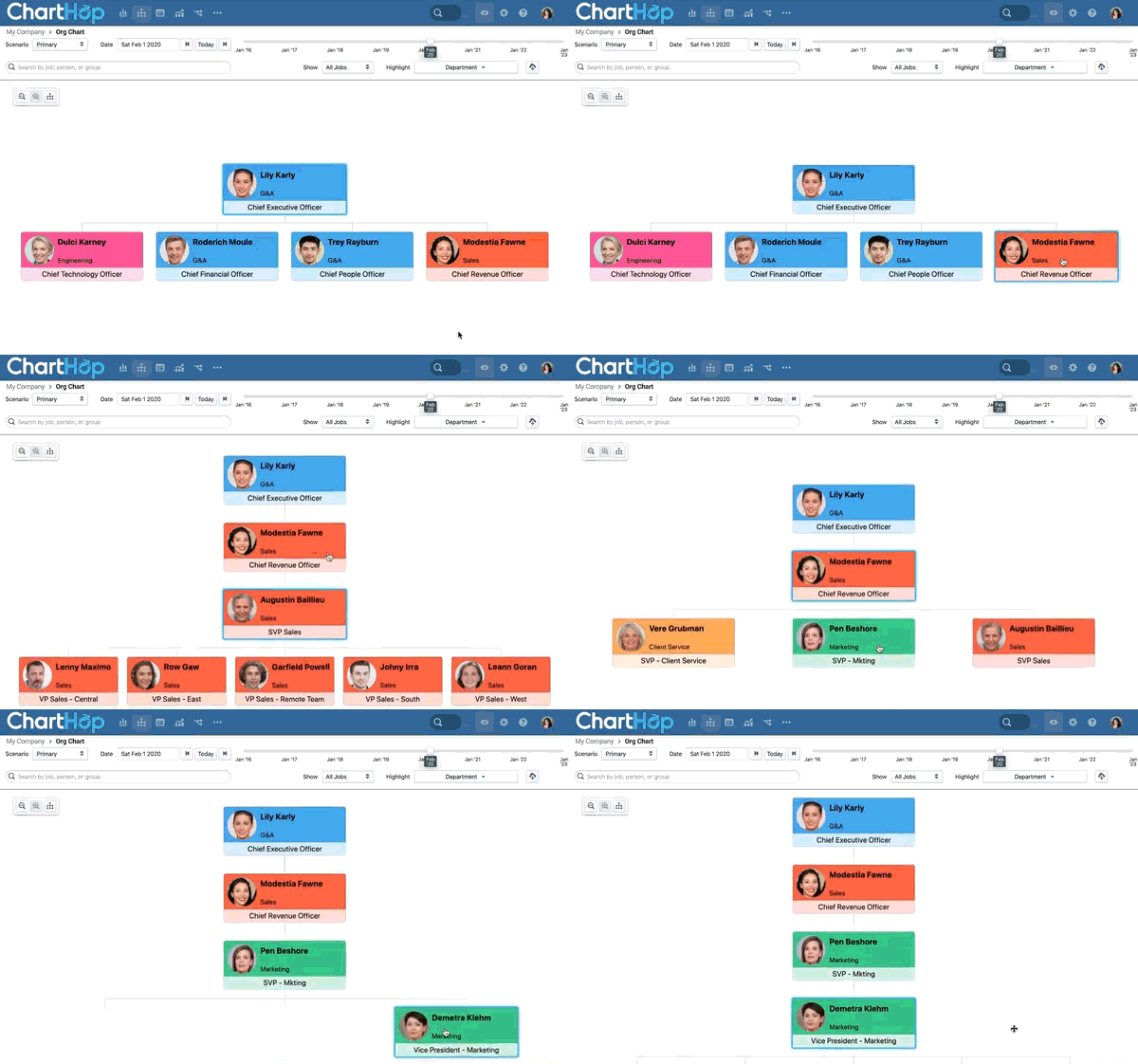
Thousands of employees already log in to ChartHop to understand who is who and their organizational structure as a whole. When everyone is not in a central office, questions like “Who did I just get an email from?” and “What team is that person on?” become more and more common.
To keep productivity (and belonging!) high, provide all employees access to your ChartHop Org Chart. Plus, since the org chart is fully integrated with your HRIS, there’s no manual update work needed as the team changes.
Having an easy way to discover and learn about your teammates is critical. ChartHop has helped us create a more transparent organization and helped employees forge deeper relationships with their coworkers.
Shelby Wolpa , VP of People Operations @ InVision
Here are some resources for inviting your organization. Contact success@charthop.com with any questions!
2. Visualize your remote workforce on the map
Many workforces have become distributed organizations overnight, with remote locations varying from home addresses and family residences to homes of friends, and more. To provide more visibility during times of remote work, you can set up and view Remote Work Addresses in your ChartHop Map.
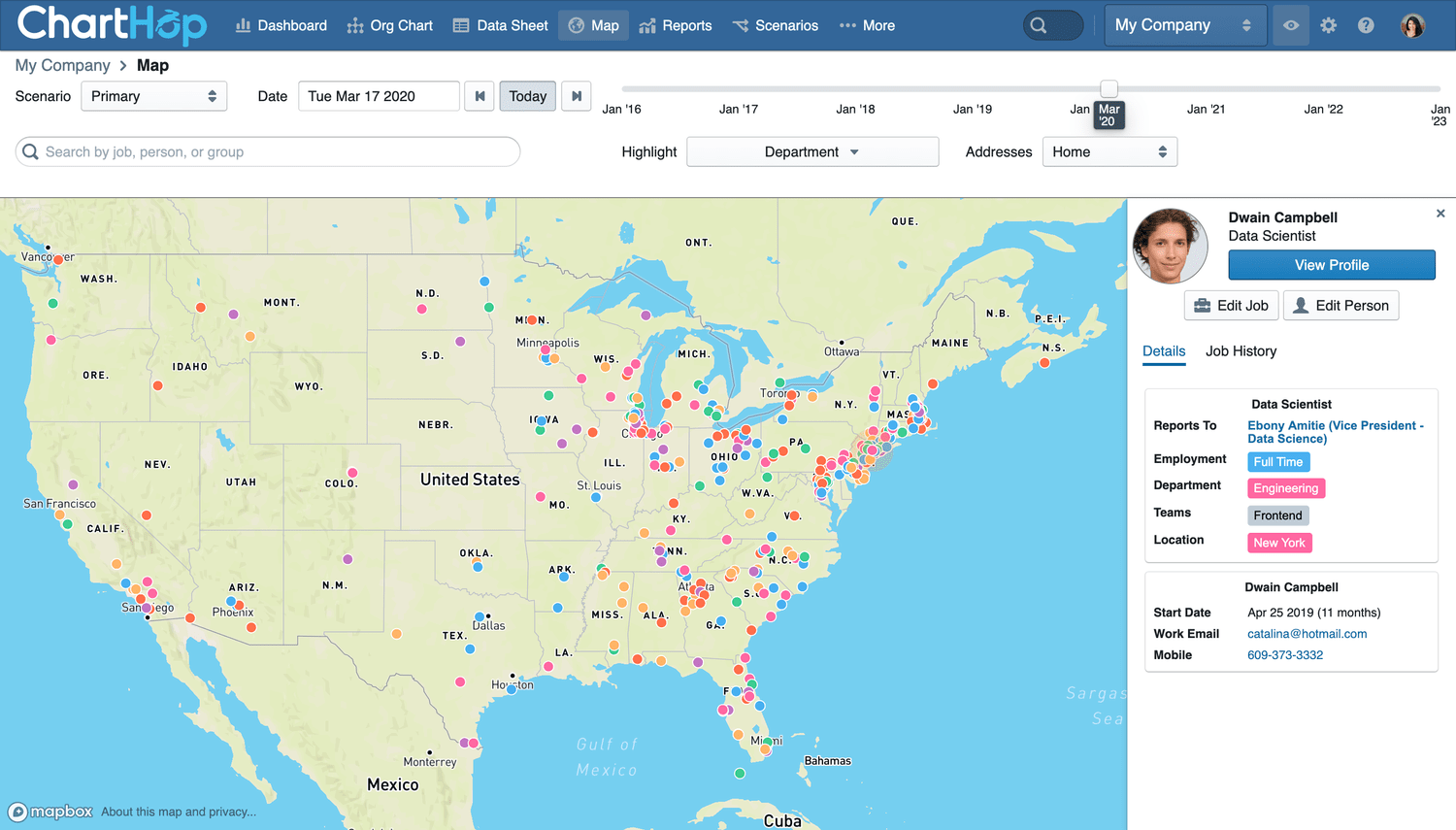
This provides pivotal information for HR as state or local ordinances are issued, as business hours change due to changes in time zones and even gives them the option to send care packages to affected employees. For employees, this can make them feel more connected to each other, even something as small as seeing your coworkers on the map - and noticing that someone who is usually in NY is actually close to you in Boston now, can help build a relationship.
Learn more here and contact success@charthop.com with any questions about setting it up.
3. Design and measure the impact of org changes with Scenarios
While iterating on plans is always important, business needs are quickly changing now, and you need a way to plan out potential futures right away. ChartHop Scenarios provides you the context needed to create data-informed plans and provides an easy to use, drag and drop interface from which to build and compare future plans.
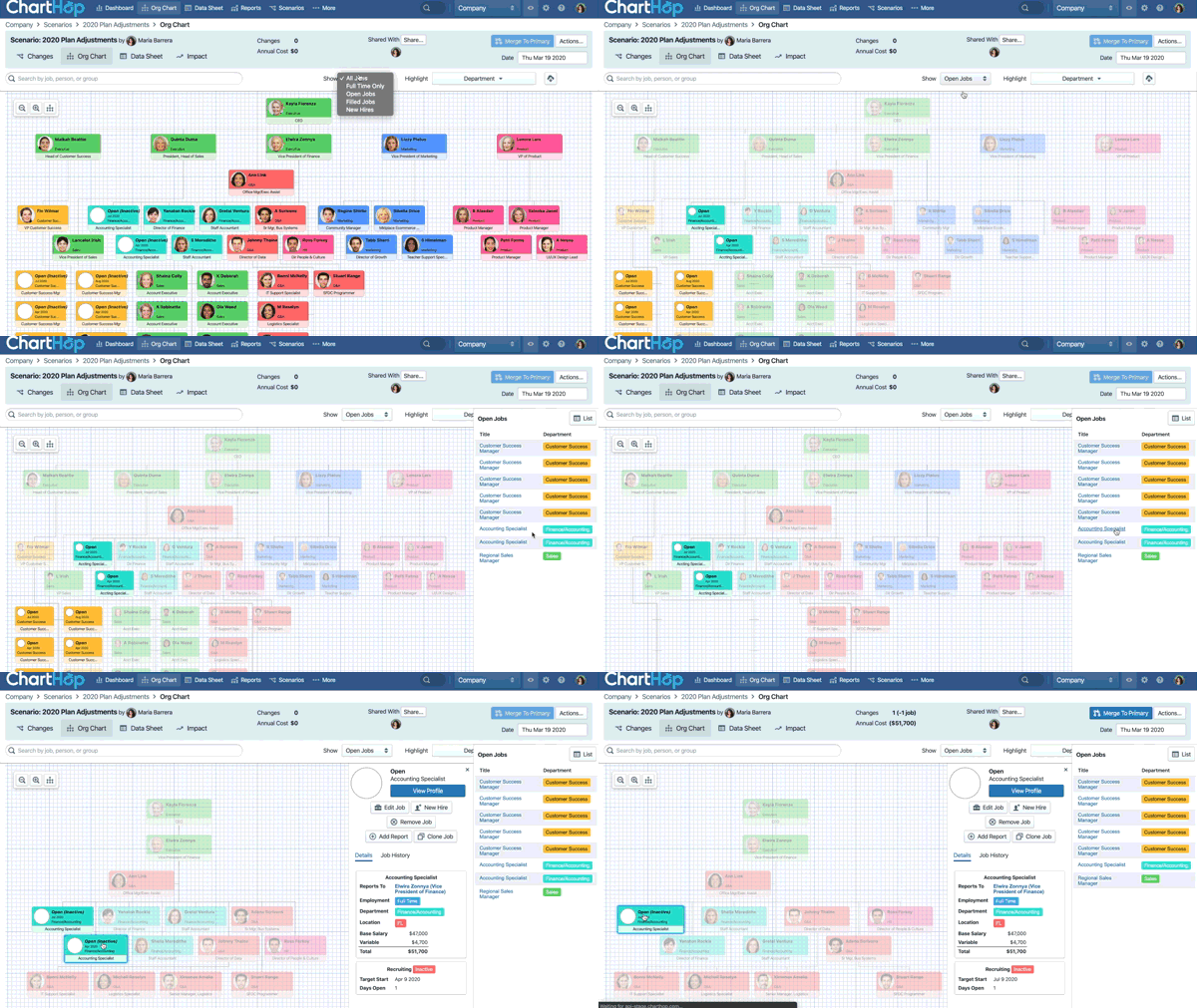
With Scenarios, you can build sandbox views for alternate hiring plans, team restructuring, projected M&A outcomes, department-specific changes, org-wide compensation planning, and more. Once you’ve designed plans, it’s easy to deploy them into action within ChartHop.
As changes are made within Scenarios, ChartHop tracks every change and shows the impact in the structure, the headcount numbers and the budget. To understand the impact of Scenarios in detail, you can compare the current state of the organization with the proposed state using custom reports side by side.
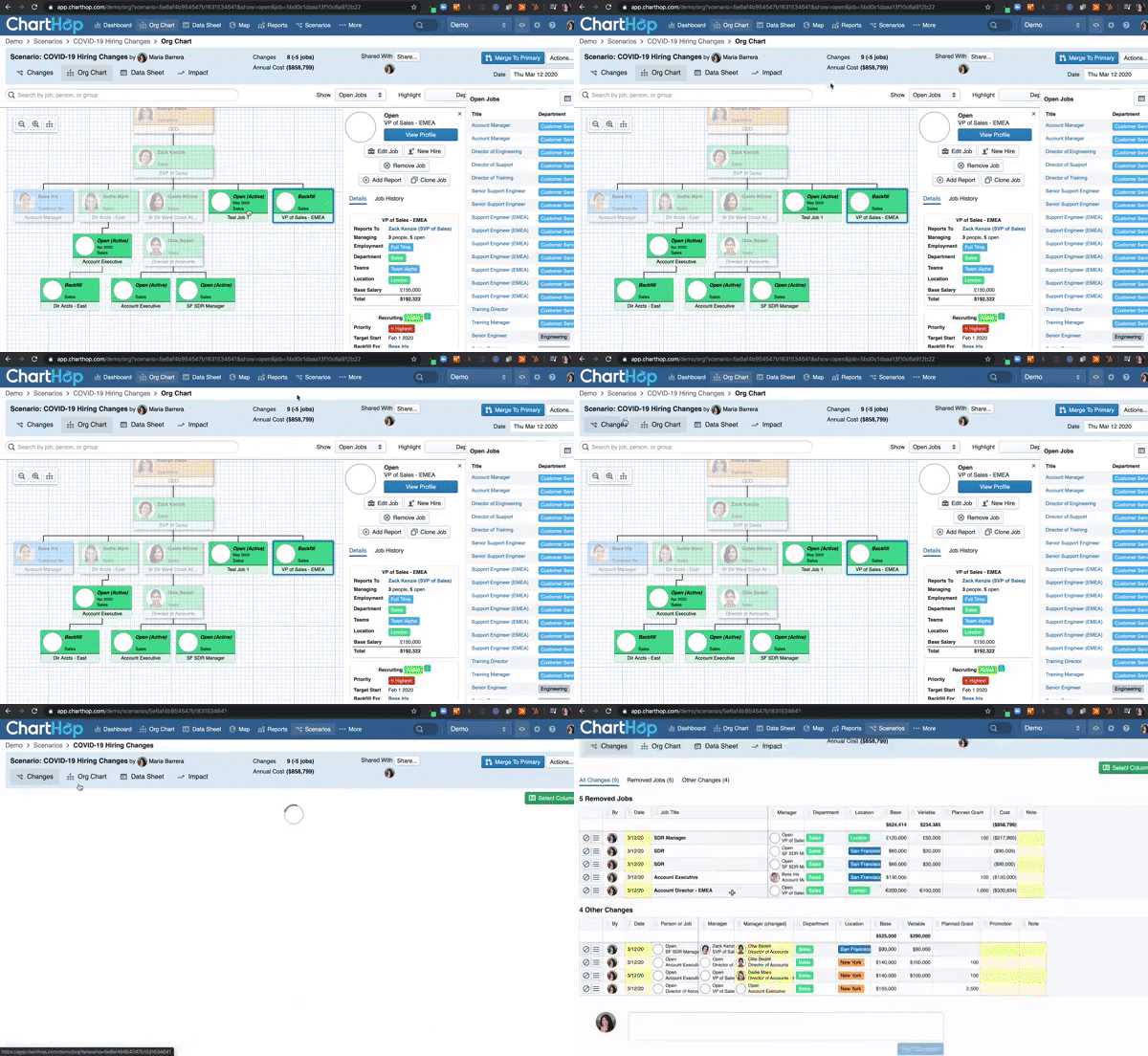
Note: With everything going on, ChartHop Scenarios is available to new organization at no cost during this time here.
Companies of all types and sizes often have to make organizational changes quickly to react to ever-shifting business needs. We are here to support you through these changes. If there is anything else we can do, please reach out to success@charthop.com.